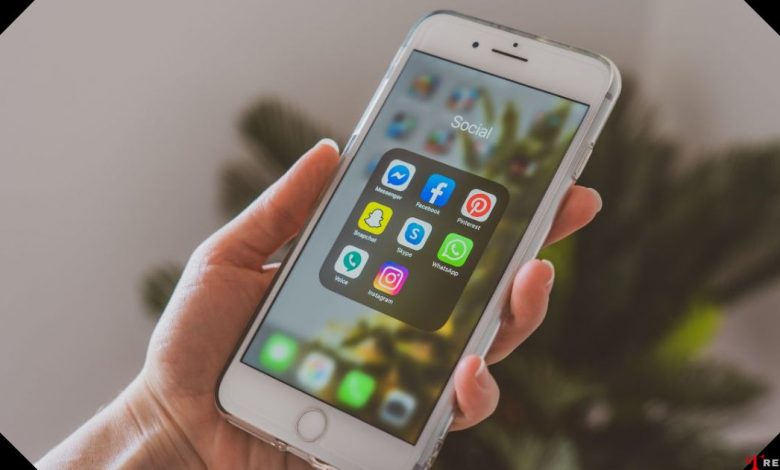
Are you curious about how to rename apps on iPhone? It’s a frequent question we hear, particularly from users who like to keep their home screen organized and personalized. While it might seem complicated at first, renaming apps on your iPhone is actually a straightforward process once you understand the steps. This article, Trendbbq.com will guide you through that process with the latest information available.
1. Why Renaming iPhone Apps is Useful?
Many iPhone users often wonder why they might need to learn how to rename apps on iPhone. Well, the answer lies in personalization and organization. Renaming apps allows you to label them according to your preference, which can significantly enhance your user experience.
Enhance Personalization
Renaming apps on your iPhone provides an added level of personalization. You can choose names that resonate more with your usage, making the apps feel more ‘yours’.
Improve Organization
By renaming your apps, you can group related apps together more intuitively, boosting your overall productivity and efficiency.
2. How to Rename Apps on iPhone
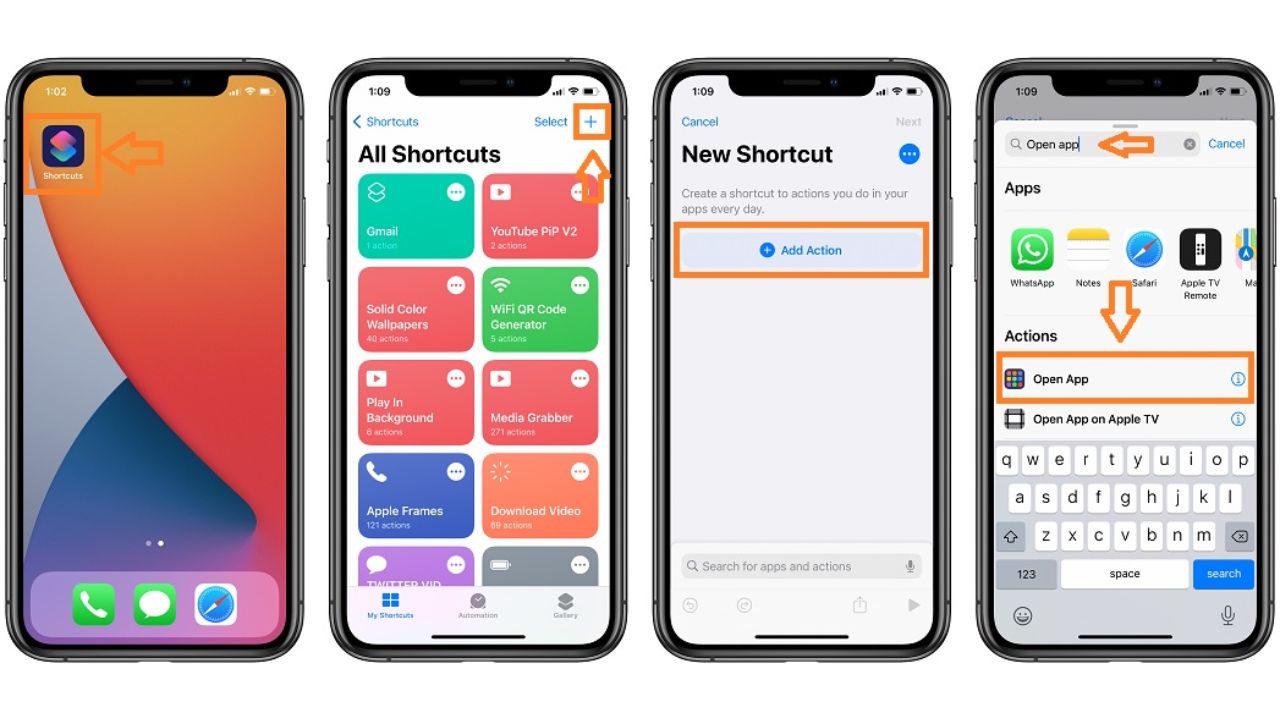
First, you need to open the Shortcuts app on your iPhone. This app is pre-installed, so you won’t need to download anything new.
- Open the Shortcuts app on your iPhone.
- Tap the “+” icon in the upper right corner to create a new shortcut.
- Tap on “Add Action”.
- In the search bar, type “Open App” and select it.
- Tap “Choose” and select the app you want to rename.
- Tap the three dots in the upper-right corner.
- Tap “Add to Home Screen”.
- Type in your preferred name for the app in the text box next to the icon.
- If you wish to change the app’s icon, tap on the icon and select “Choose Photo” to pick a new image.
- Tap “Add”, and then “Done”.
By following these steps, you should now have an additional icon on your home screen with the new name.
3. Common Questions About Renaming iPhone Apps
Can I Delete the Original App After Renaming It?
No, deleting the original app will also remove the renamed shortcut. The original app must remain installed on your device for the shortcut to function.
Why Does Shortcuts Open When I Tap the Renamed App?
When you tap the renamed app, it opens Shortcuts briefly before redirecting to the actual app. This is because the renamed icon is technically a shortcut to the app, not the app itself.
With the above guide, you now know how to rename apps on iPhone using the Shortcuts app. Though it may require a few steps, the personalization and organization benefits are worth it.





Нужно казино? up x казино современные игры, простой вход, понятный интерфейс и стабильная работа платформы. Играйте с компьютера и мобильных устройств в любое время без лишних сложностей.
You really make it appear so easy with your presentation however I in finding this matter
to be really one thing which I feel I’d never understand.
It kind of feels too complicated and extremely wide for me.
I’m taking a look forward in your subsequent submit, I will attempt
to get the grasp of it!
дайсон центр в спб дайсон центр в спб .
Самые качественные https://bliny-olimpiiskie.ru широкий выбор весов и форматов. Надёжные материалы, удобная посадка на гриф, долговечное покрытие. Подходят для фитнеса, пауэрлифтинга и регулярных тренировок.
vavada wypłata na mastercard https://www.vavada2003.help
1вин kg 1вин kg
Комплексное продвижение для сетевых компаний с филиалом в Гродно. Сочетаем общерегиональную стратегию с локальной адаптацией продвижение сайта гродно. Единый бренд, но с учетом специфики гродненского рынка и аудитории.
mostbet карта вывод https://www.mostbet2034.help
mostbet Ош http://mostbet2034.help/
vavada pomoc wypłata vavada2003.help
мостбет приложение скачать Кыргызстан https://www.mostbet2028.help
Работаем по всему Молодечненскому району! Привезем и смонтируем сайдинг kupit-sayding.ru. Прозрачная смета, фиксированная цена. Опыт 10 лет.
I loved as much as you will receive carried out right
here. The sketch is tasteful, your authored subject matter stylish.
nonetheless, you command get bought an impatience over that you
wish be delivering the following. unwell unquestionably come more formerly again since exactly the same nearly very
often inside case you shield this hike.
casas apuestas mexico
An impressive share! I have just forwarded this onto a friend who has been doing a little homework on this. And he in fact ordered me breakfast simply because I discovered it for him… lol. So let me reword this…. Thanks for the meal!! But yeah, thanx for spending the time to discuss this topic here on your site.
vavada hrvatska bonus https://www.vavada2010.help
vavada kladionica prijava http://vavada2010.help
bahis siteler 1xbet bahis siteler 1xbet .
1xbet ?yelik 1xbet ?yelik .
1 x bet 1xbet-37.com .